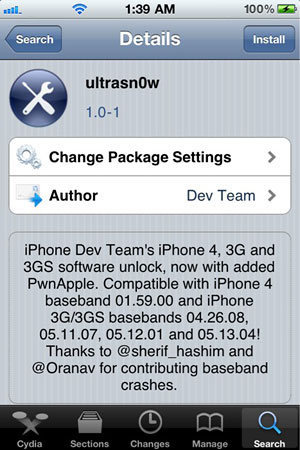
Version 1.0-1 of ultrasn0w works for:
- iPhone4 baseband 01.59
- 3G/3GS basebands 04.26.08, 05.11.07, 05.12.01 and 05.13.04
(If ultrasn0w doesn’t show when you search Cydia, add the repo: repo666.ultrasn0w.com)
.jpg)
Version 1.0-1 of ultrasn0w works for:
(If ultrasn0w doesn’t show when you search Cydia, add the repo: repo666.ultrasn0w.com)
JailbreakMe is the latest jailbreak method for all devices running iOS 3.1.2 or newer. Like I said before, JailbreakMe is the easiest jailbreak you will ever find but some of you asked me to write a tutorial about it.
This guide and tutorial will show you how to use JailbreakMe to jailbreak your iPhone. Obviously, most people won’t need this tutorial because JailbreakMe is pretty straightforward.
Step 1: Make you your iPhone is backed up in iTunes, in case something goes wrong.
Step 2: From you iPhone, go to JailbreakMe.com.
Step 3: Slide to jailbreak.

Step 4: Sit back, relax. JailbreakMe will be downloaded to your iPhone and will work its magic. When done, a pop up will tell you that Cydia has been installed.
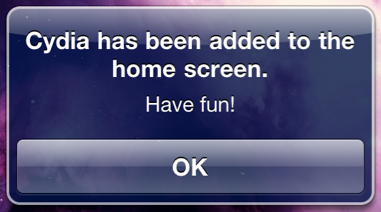
Step 5: Reboot your iPhone. You don’t have to, but it’s always a good thing to do.
That’s it. Nothing to download to your computer.Now that the iOS 4 jailbreak has been released, those of you who were waiting for an unlock can unlock their iPhones with UltraSn0w.Before getting into the details, let me tell you more about who this is for and who this is not for.
The latest version of ultrasn0w will unlock the iPhone 3G and iPhone 3GS running iOS 3.1.2 or higher. As long as you are running iOS 3.1.2 or up to 4.0.1, you’re good.
This being said, ultrasn0w will not unlock the iPhone 4 at the time being. The Dev Team needs a little bit more of time to test out the iPhone 4 unlock before releasing it. I believe they will release the iPhone 4 unlock in the next few days, so stay tuned.
This guide and tutorial will show you how to unlock your iPhone 3GS or iPhone 3G running iOS 4 using ultrasn0w.
Step 1: Make sure your iPhone is backed up in iTunes.
Step 2: Jailbreak your iPhone using JailbreakMe (see instructions here).
Step 3: After the jailbreak process is done, go to Cydia and search for ultrasn0w.
Step 4: Install ultrasn0w and reboot your iPhone.
Step 5: Done!
You now have an unlocked iPhone 3G or 3GS.


